CodeTwo Email Signatures 365
CodeTwo Signatures Add-in for Outlook
CodeTwo Signatures Add-in for Outlook adds automatic signatures to emails in Outlook (Outlook for Windows, Mac, iOS & Android and Outlook on the web / OWA). It's been co-engineered with Microsoft using Microsoft's latest Web Add-in technology to speed up the deployment and improve cross-platform support. See the video below or continue reading to learn how the add-in works and how to use it.
Using CodeTwo Add-in in Outlook desktop and Outlook on the web (OWA)
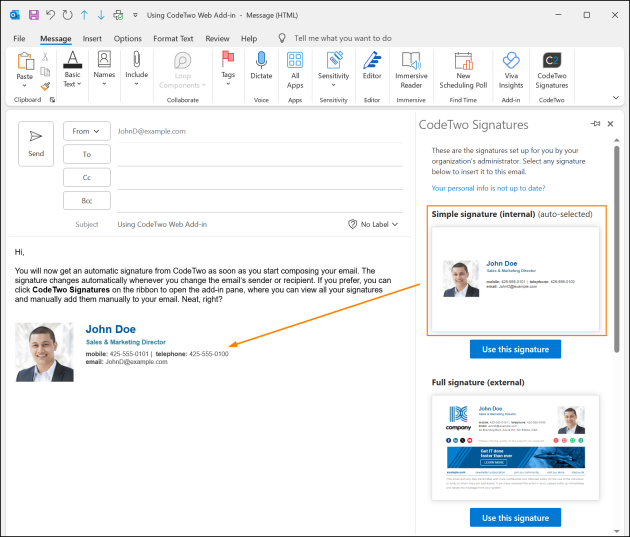 CodeTwo Outlook Add-in automatically adds a signature to the body of an email.
Related Articles
Create a quick poll in Outlook
Creating a poll To create a poll in Outlook, open a new email, go to the Insert tab, click Poll, type your question and options in the pane that appears, then send the email; recipients vote in the email, and you can track results in the sent items ...Sharing Externally to non Tranby people
In this example we will look at sharing video content. 1. Locate what you need to share and select Share from the item menu (three dots) 2. Click the cog next to Copy Link and you should see the following options 3. Make sure Anyone is selected & ...Join meeting without installing the Teams App
? How to Join a Microsoft Teams Meeting Without Installing the App You do not need to install Microsoft Teams or have a Microsoft account to join a meeting. Just follow these simple steps: ✅ Steps to Join the Meeting Click the Meeting Link Open the ...